
Brew on the right day, with everything in stock.
Tell BrewForge when the beer must be ready and it works out the latest brew day from your recipe. The planner shows what you're short on for the next brews, and the calendar keeps brew days, dry hops and cold crashes in one place.
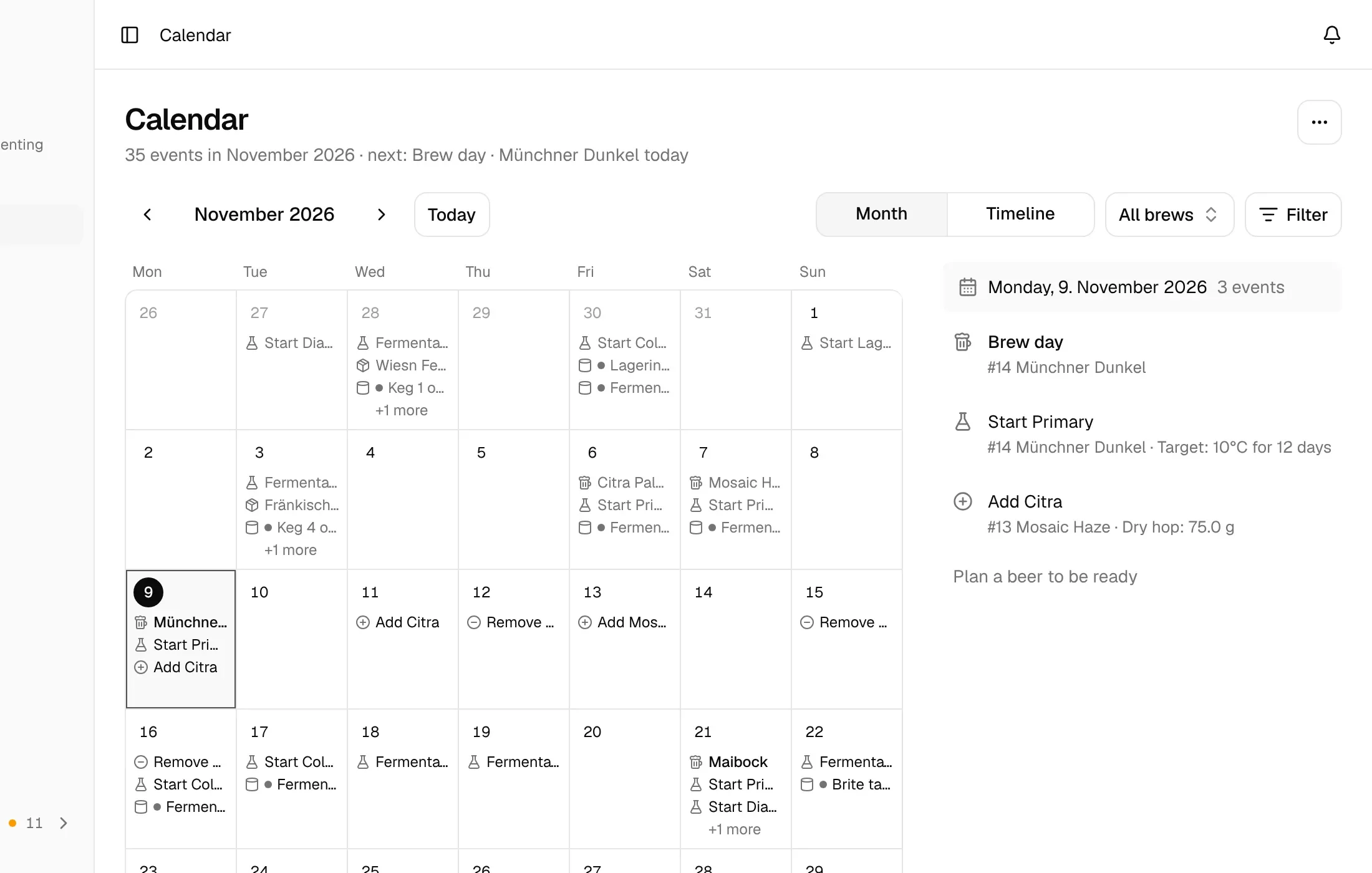
Plan backwards from a ready-by date
A Maibock for the club tasting on 30 January needs 17 days of fermentation and 58 days of conditioning. Pick the ready-by date, and BrewForge suggests the latest brew day that still makes it. Move the brew day earlier if you like: every day that is still in time is marked.
- Pick the ready-by date and an optional occasion on the planned brew day
- Latest brew day worked out from the recipe's fermentation and conditioning stages
- "How it's calculated" shows the days of fermentation and conditioning
- With Cellar, the suggestion is a day with a free fermenter
- Too late? A warning on the brew with a one-click "Move to" the latest day
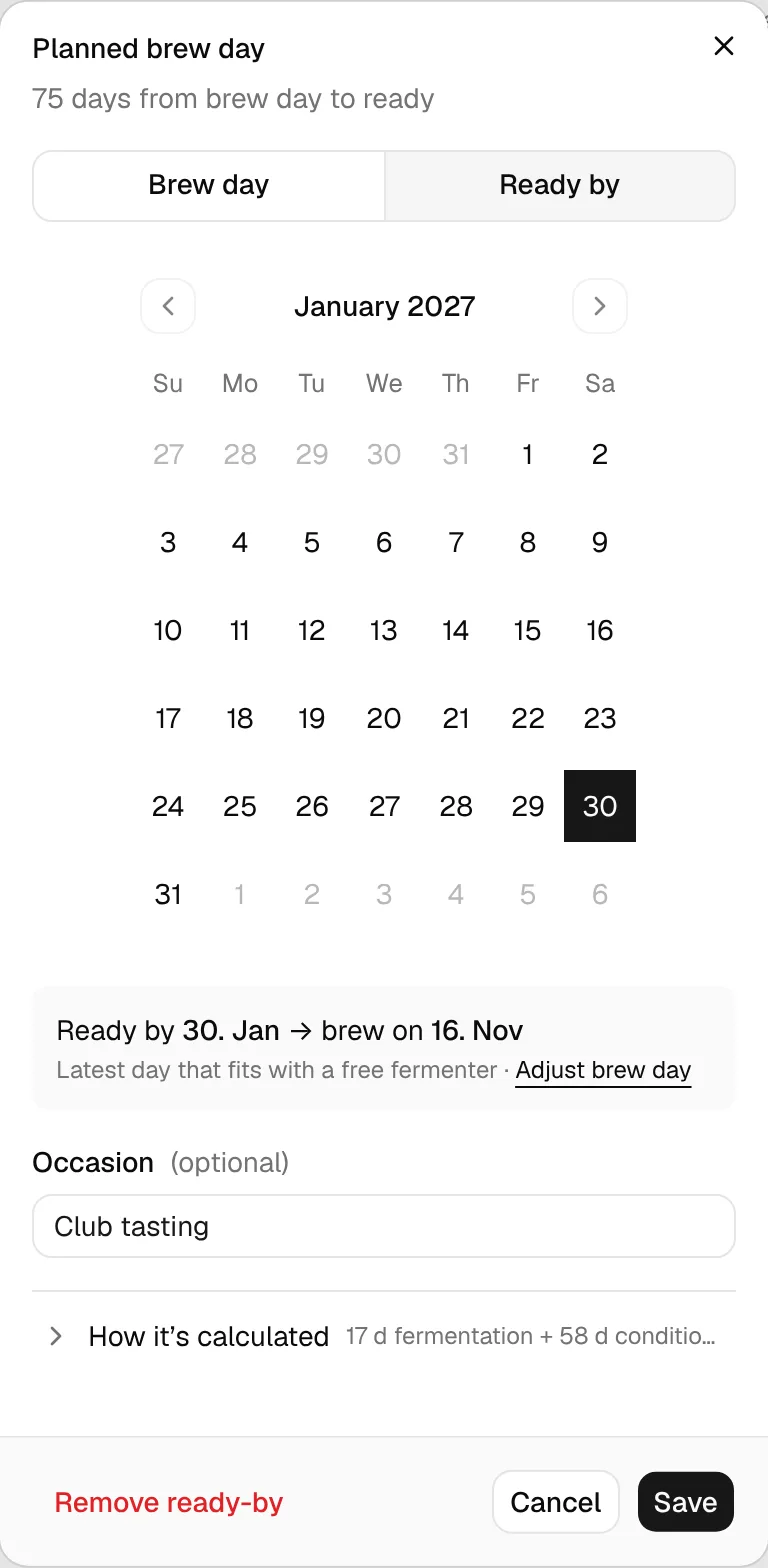
Know what you're short on before brew day Pro
The planner takes every planned brew, your stock and your open orders, and shows what runs out and when. Leave a brew out of the plan with one click, then turn the shortages into an order list.
- All planned brews, each one in or out of the plan
- Shortages, Timeline, Per brew and Total views
- Stock counts what is already on order
- Order exactly what's missing, as a new order list or added to an existing one
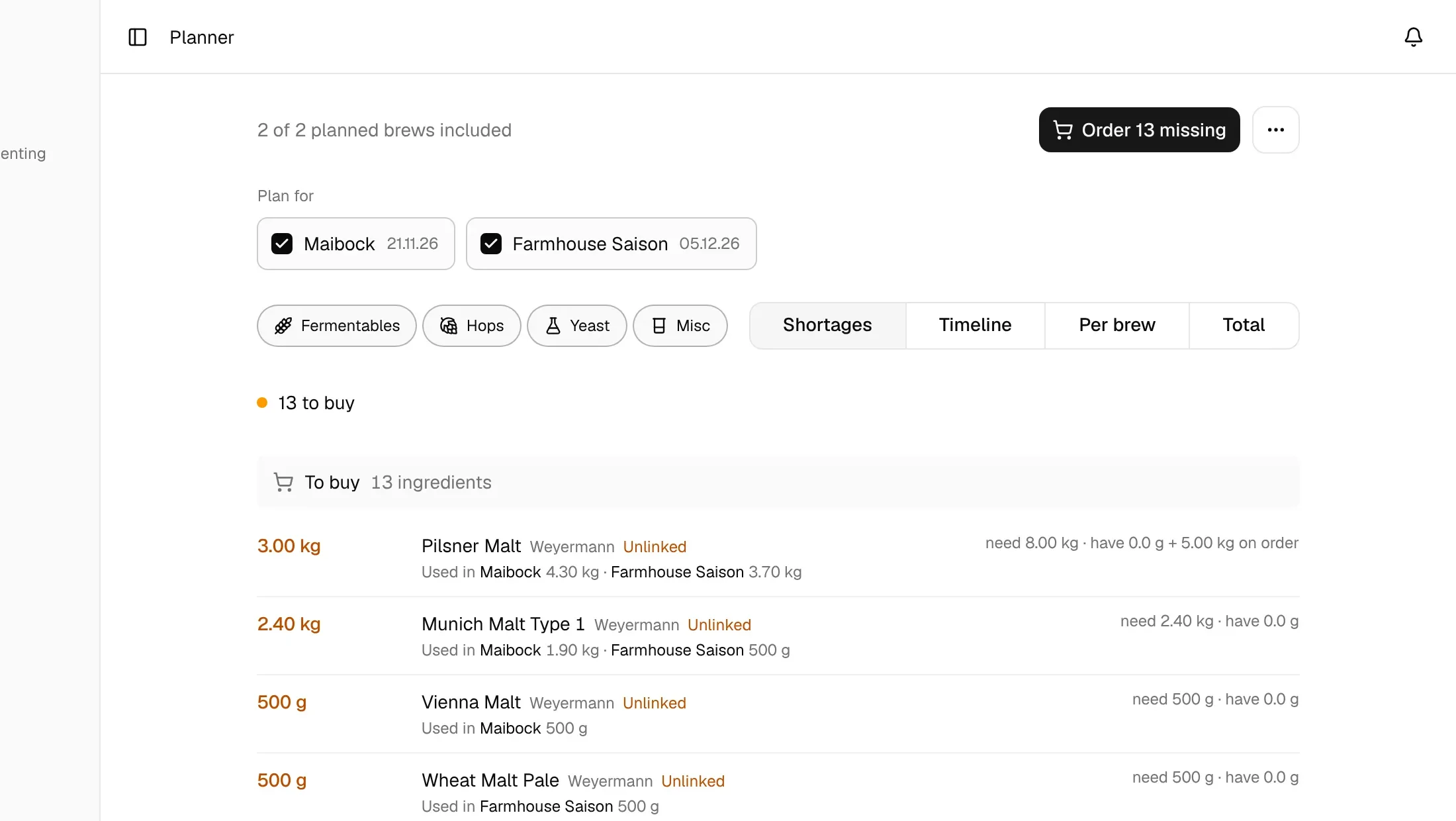
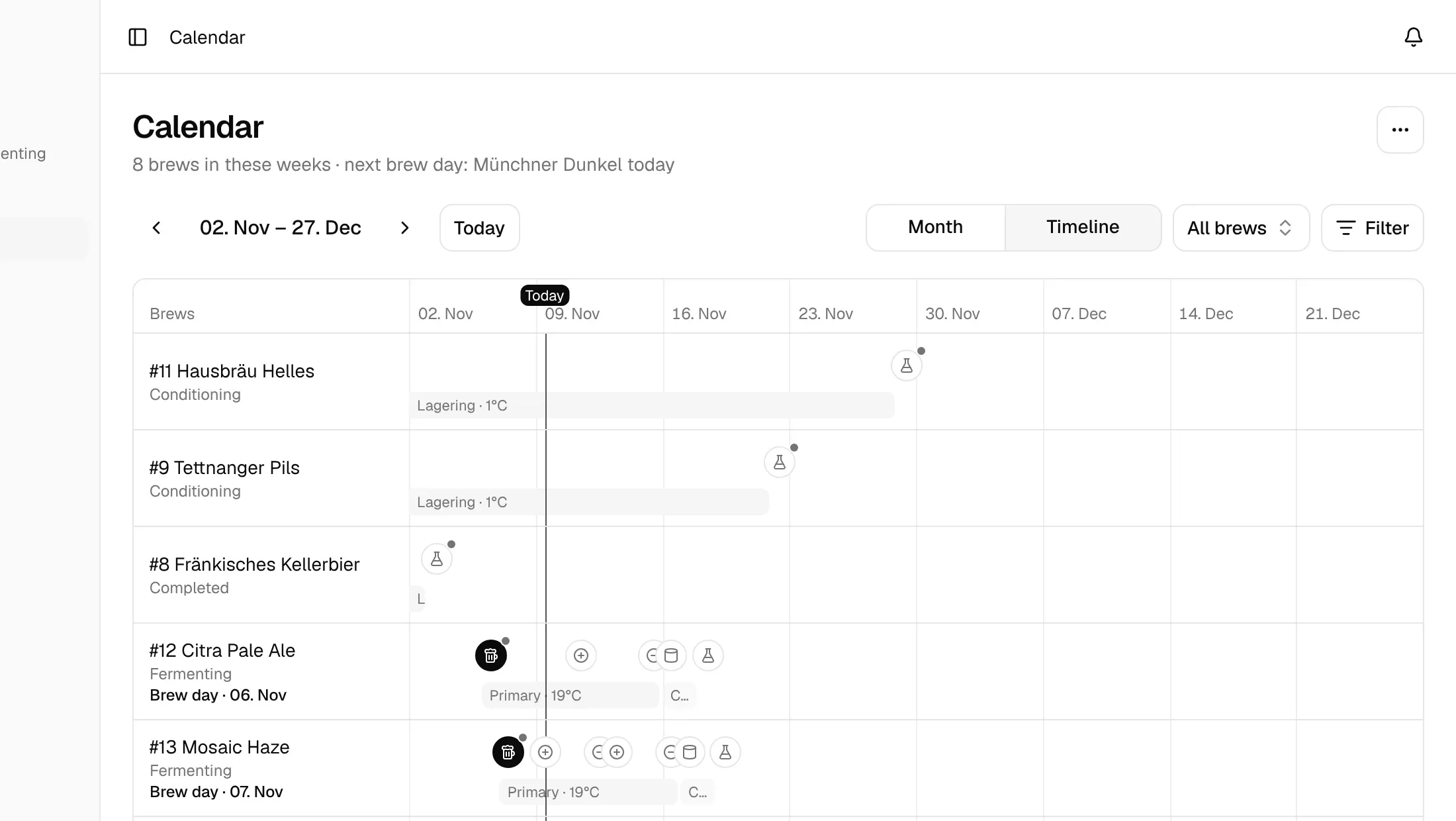
One calendar for everything with a date
The month grid shows what's on each day. The timeline gives every brew its own lane, with fermentation stages as bars and dry hops, temperature changes and packaging as markers.
- Month grid and timeline
- Brew days, planned brews, fermentation steps, dry hops, spunding forecasts, packaging and reminders
- Conditioning events follow the day conditioning actually started
- Filter by event type and status, or show one brew
- Pick a day and plan a beer to be ready on it
Your brew schedule in your phone's calendar
Subscribe once and BrewForge events show up in Google Calendar, Apple Calendar or any app that reads iCal feeds, next to the rest of your week.
- Private feed URL for Google Calendar, Apple Calendar and others
- Choose what's in it: brew days, fermentation steps, packaging, reminders, ready-by dates
- From 90 days back to 180 days ahead, updated as you plan
Ready-by planning, the calendar and the calendar subscription are included in every plan. The inventory planner, order lists and the free-fermenter check (Cellar) are Pro.
Compare plansFAQ
Planning questions
How does BrewForge work out the latest brew day?
It adds up the fermentation stages of the recipe's fermentation profile and its conditioning time (the total conditioning time from the recipe's fermentation settings, otherwise its conditioning stages) and counts that many days back from the ready-by date. "Ready" means the end of conditioning. Once the beer is brewed, the forecast counts from the actual brew day, and from the actual start of conditioning once it is conditioning.
What if my recipe has no fermentation profile?
Then BrewForge can't count back and says so in the dialog. Add a fermentation profile or a total conditioning time to the recipe, and the latest brew day appears.
What happens when a brew can't be ready in time?
The brew day shows a warning with the date the beer will actually be ready and how many days that is after the ready-by date. Before brewing, "Move to" moves the planned brew day to the latest day that still works. Late brews also show up in the things to check on the brews list.
Which brews does the planner include?
Every brew with the status Planned. You can leave single brews out of the plan. Stock is projected from what you have now plus open orders, so an ingredient that is already on order is not counted as missing. The planner is part of Pro.
Can I see my brewing schedule in my phone's calendar?
Yes, on every plan. Turn on the calendar subscription, copy your private feed URL into Google Calendar, Apple Calendar or any app that reads iCal feeds, and choose which events it includes. The feed covers 90 days back to 180 days ahead.
Your next batch starts here.
Free for up to 20 brews. No credit card.